iPhone
Logging a workout
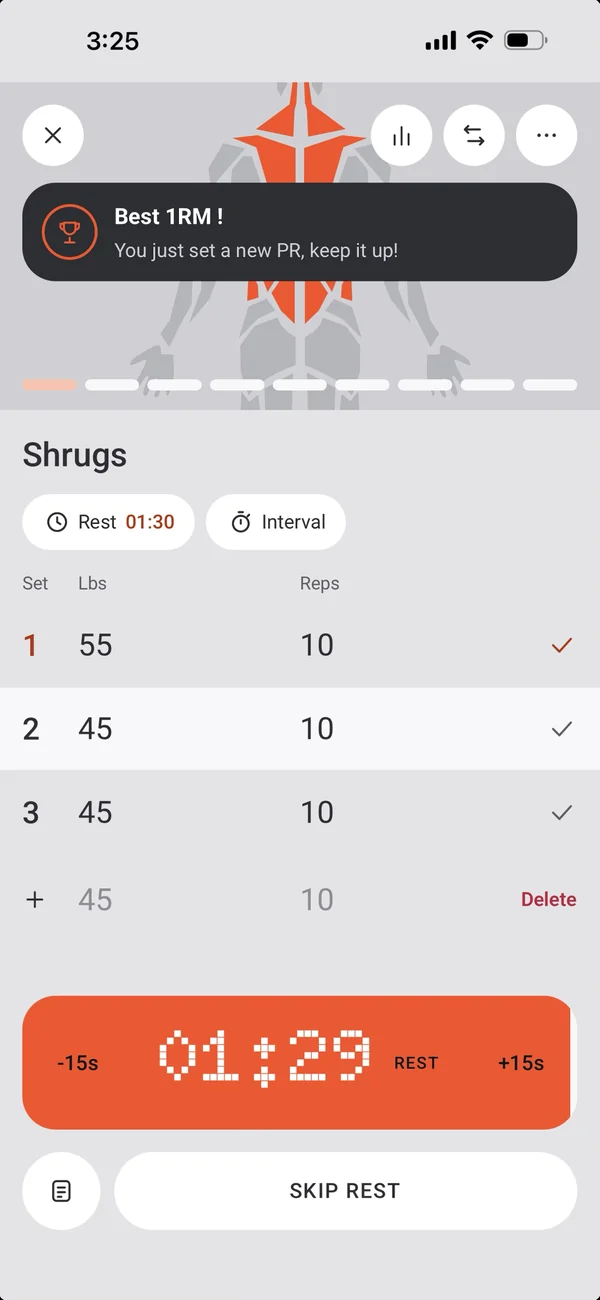
One tap per set. The rest timer runs itself.
8GYM is built around the set you’re about to do: one exercise at a time, your last numbers ready, and the rest counting down by itself.
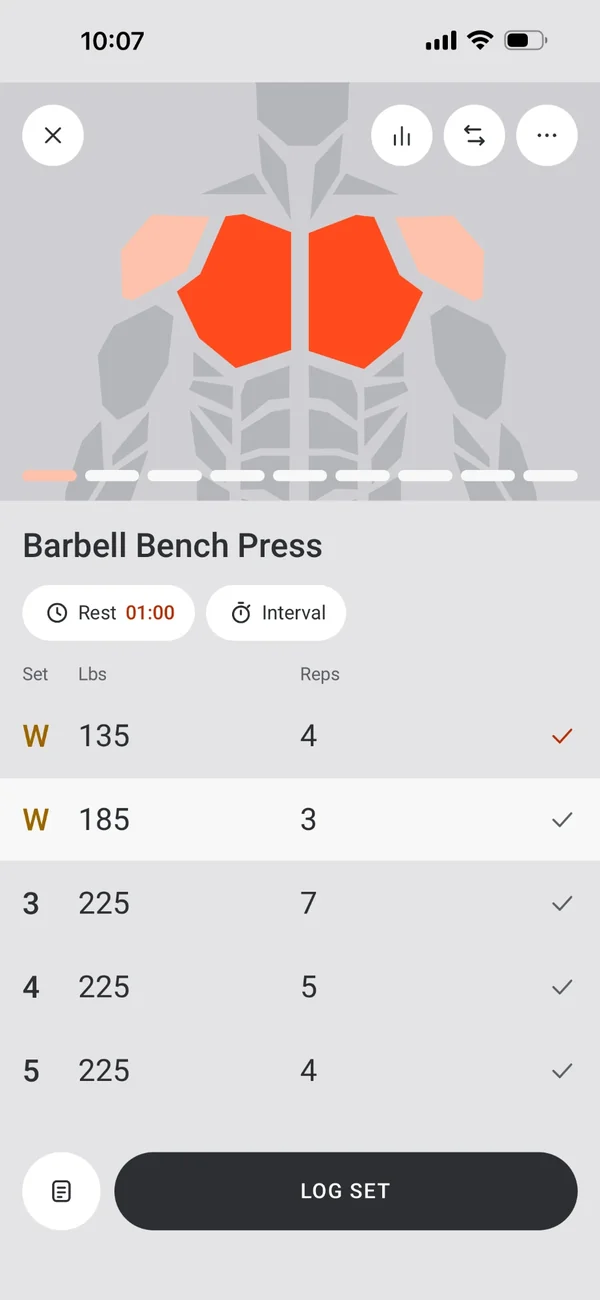
Barbell Bench Press
Rest01:30Interval
SetLbsReps
113510
213510
313510
1Tap Log Set.
Start your way
From your plan, or from nothing.
- Tap Start on the day’s card.
- Or start an empty workout and add exercises as you go.
- One exercise at a time; swipe between them.
Log Set
One button does the work.
- Logs the current set and starts its rest.
- Tap any row to pick it; logging a logged set again re-logs it and restarts the rest.
- Editing a logged set doesn’t count until you press Log Set again.
- Once every set is logged, Log Set moves on to the next exercise.
- A running workout is saved as it changes, so closing the app, a crash or an update never loses it.
Sets that know you
Your last numbers, ready to beat.
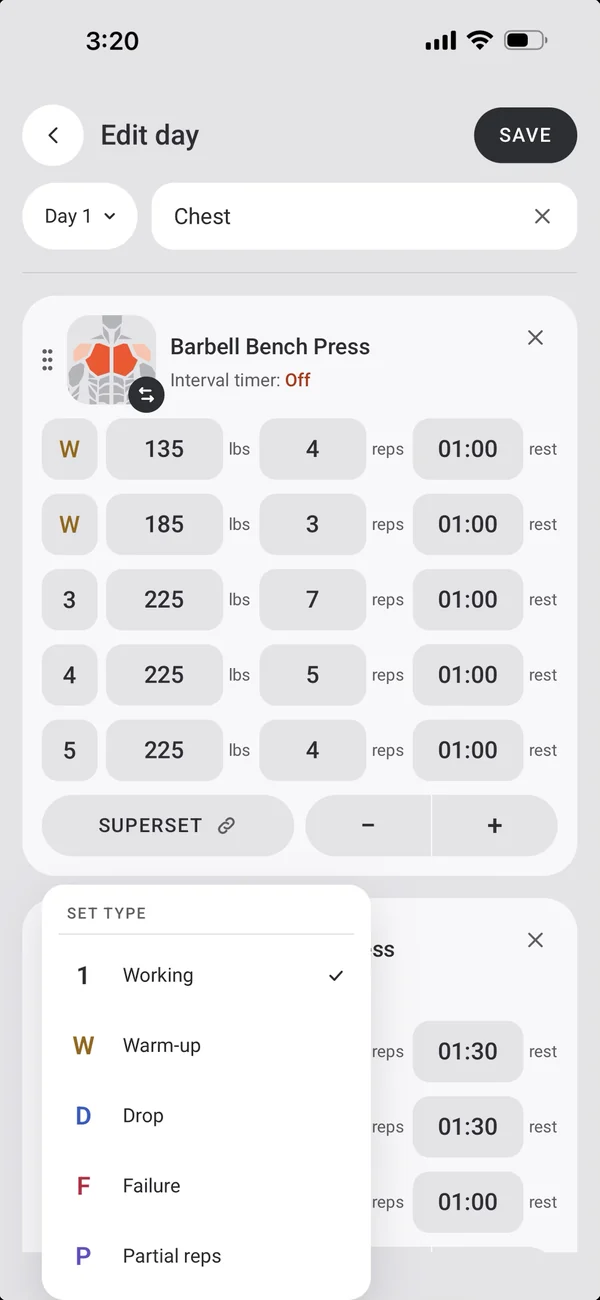
- New sets start from what you did last time.
- Set types: working, warm-up (W), drop (D), failure and partial.
- Add, remove and reorder sets as you go.
Change the workout as you go
The plan is a starting point.
- Add exercises, or swap one for another, for this workout only or in the plan too.
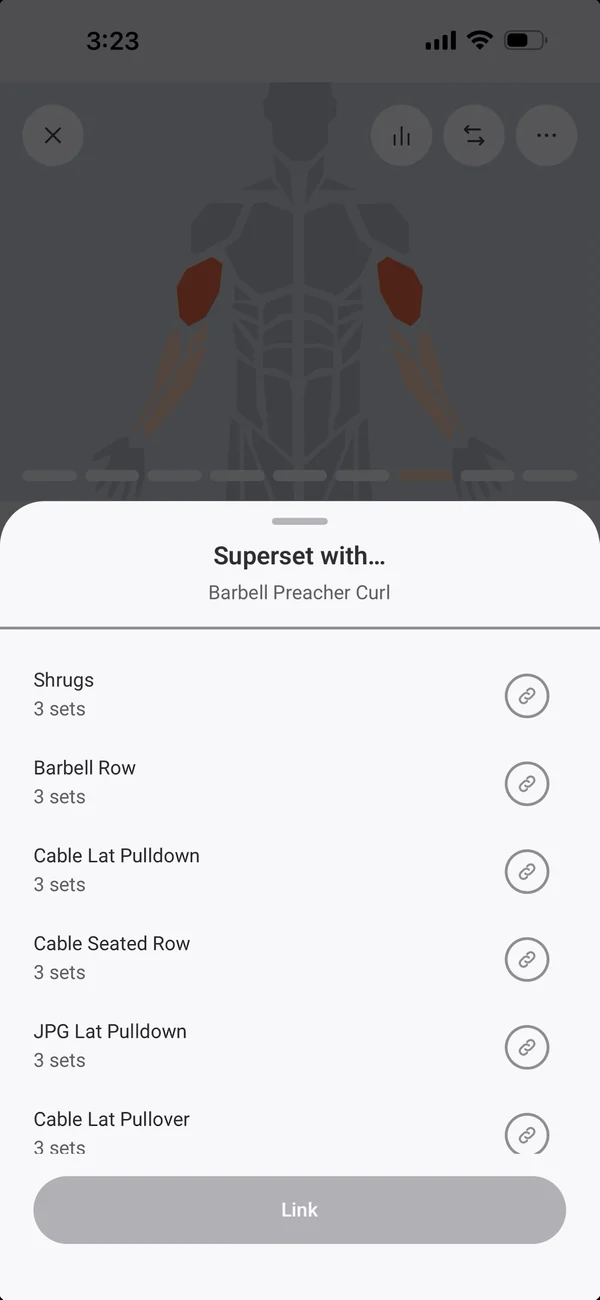
- Make supersets and tri-sets with Superset with…
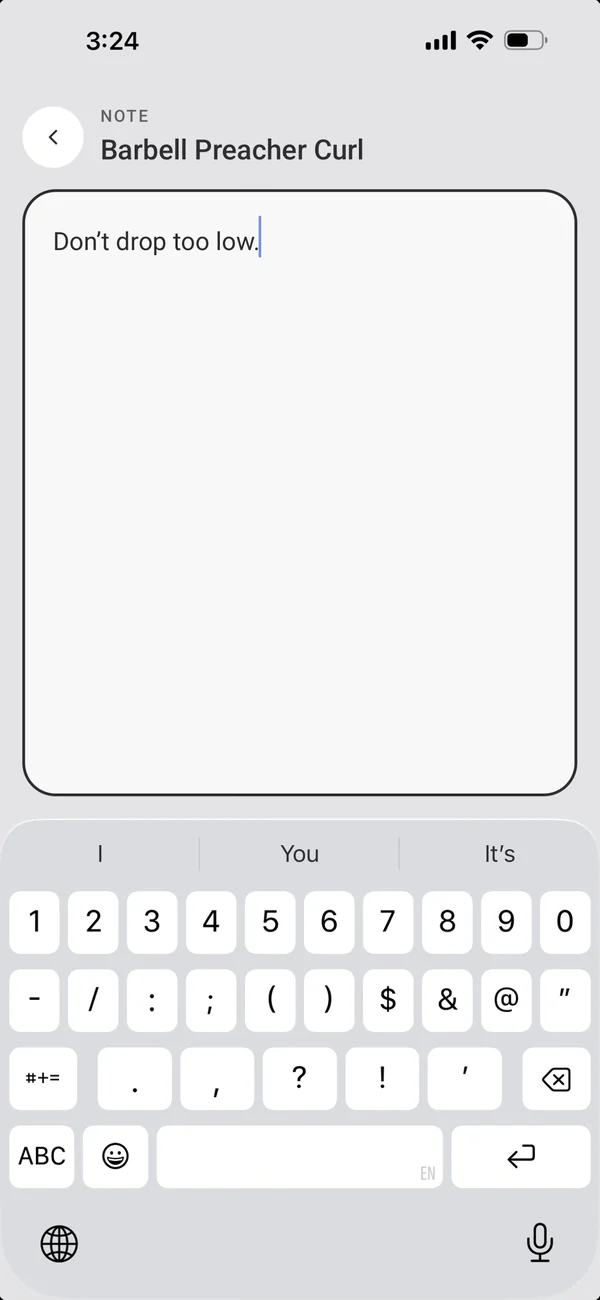
- A note on each exercise, written in a full-page editor.
Rest and interval timers
They start themselves.
- Rest starts after each set, from the exercise’s rest, with a default in Settings.
- A banner drains as it runs; −15s and +15s change this rest, and a link saves the new length to the exercise.
- The Rest chip sets each set’s rest, or turns rest off for this workout.
- When it ends: a sound, a vibration, both or neither, with an optional 3-2-1 countdown; music is lowered while they play.
- For timed sets, an interval timer: a stopwatch counting up to a target, or a countdown.
Personal records
Beat your best and you’ll know straight away.
- A Best 1RM!, Most reps!, Best time! or First record! card drops in the moment a set beats your best.
- Keep the screen on during workouts if you like (Settings).
More iPhone features
← PreviousRelated exercisesGym busy? 8GYM remembers what you swap to and suggests it next time.Next →Body mapA body map that lights up where you trained.
All features