iPhone
Progress
See your strength climb, week by week.
Every workout you save adds to your progress: how much you lifted, how long you trained, and which muscles did the work.
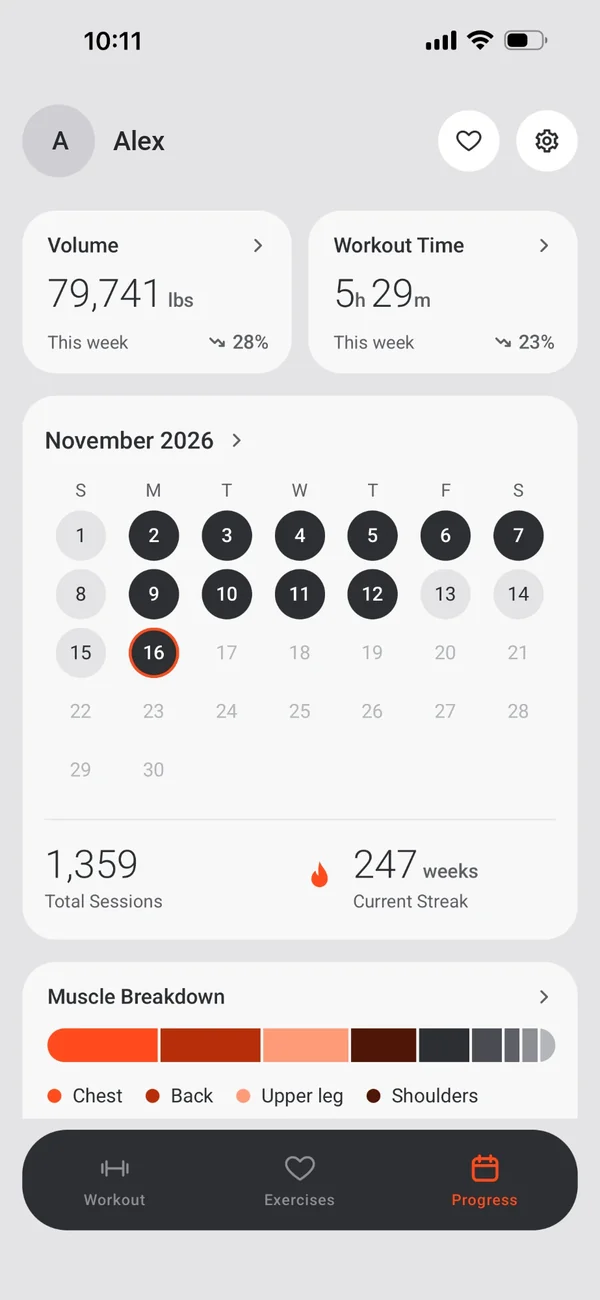
This week at a glance
The Progress tab opens on this week.
- Volume and workout time, with the trend against last week.
- A calendar of the days you trained, your total sessions and your week streak.
- Sets per muscle group this week.
Any period, any metric
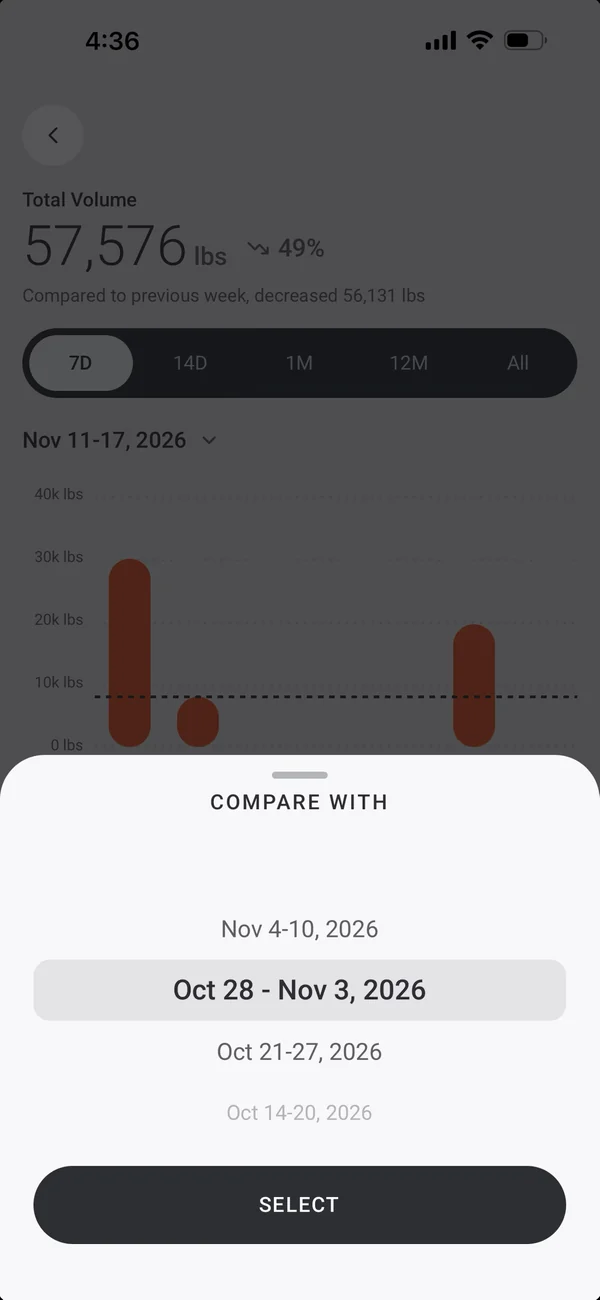
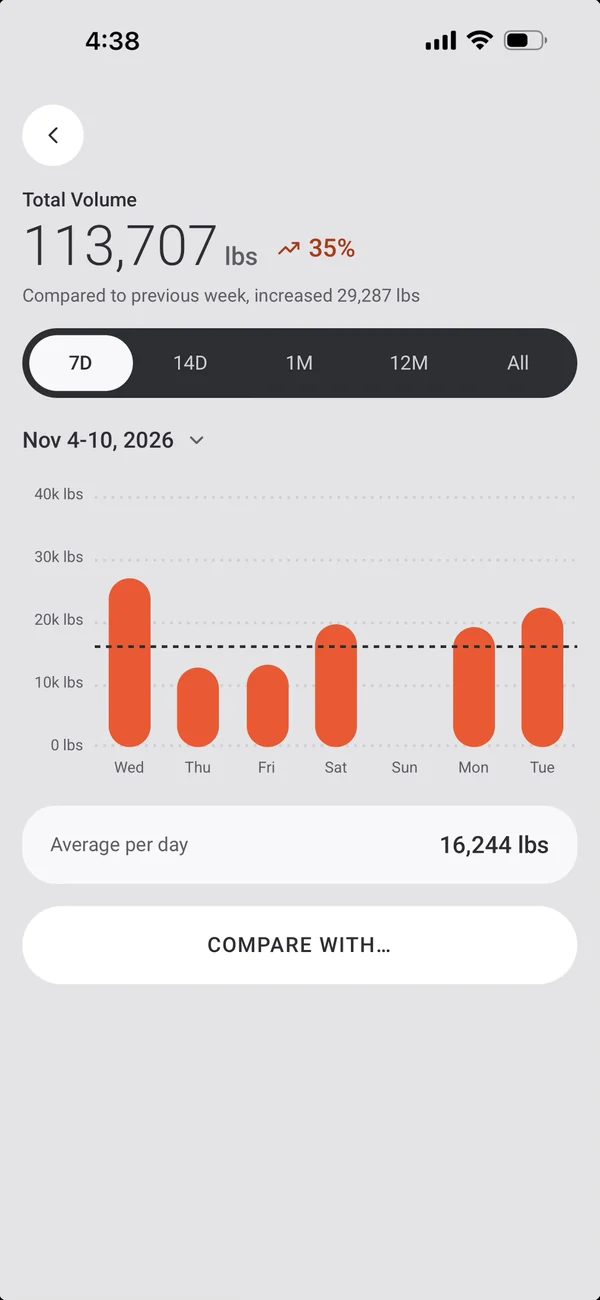
Open a card to see it over time.
- 7 days, 14 days, 1 month, 12 months or All, with a wheel to go back in time.
- A bar per day, month or year, with the average marked.
- Compare with… puts another period beside it.
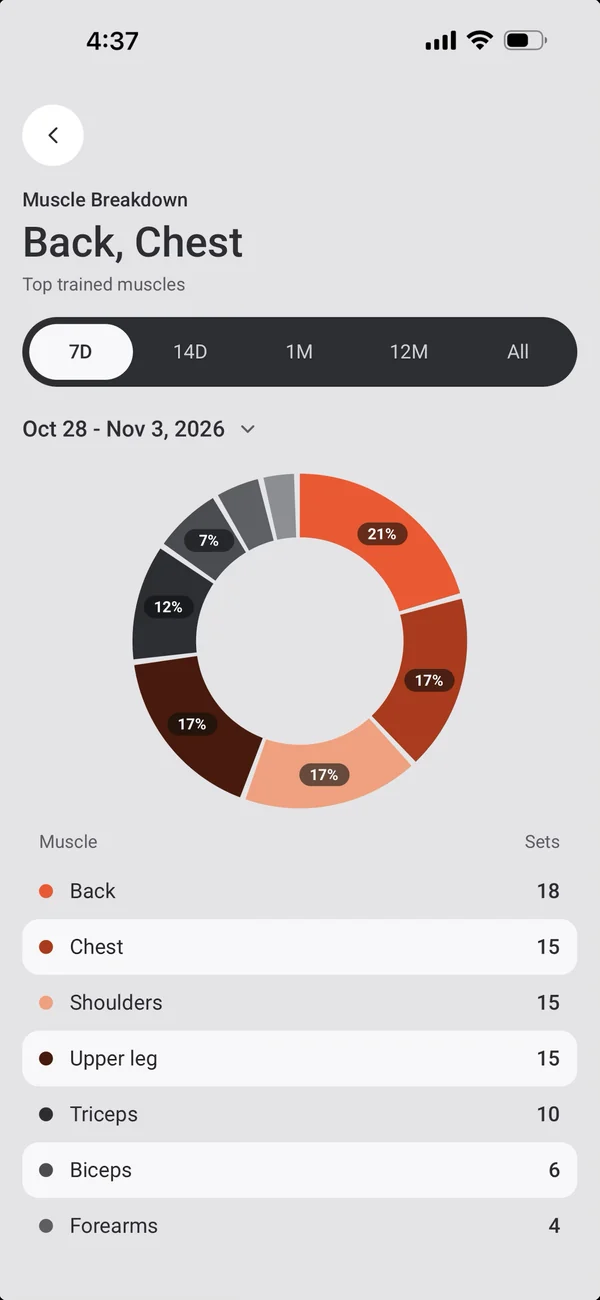
Muscle breakdown
Where your sets went.
- A donut of sets per muscle group, with a table.
- Tap a slice to pop it out.
Every session
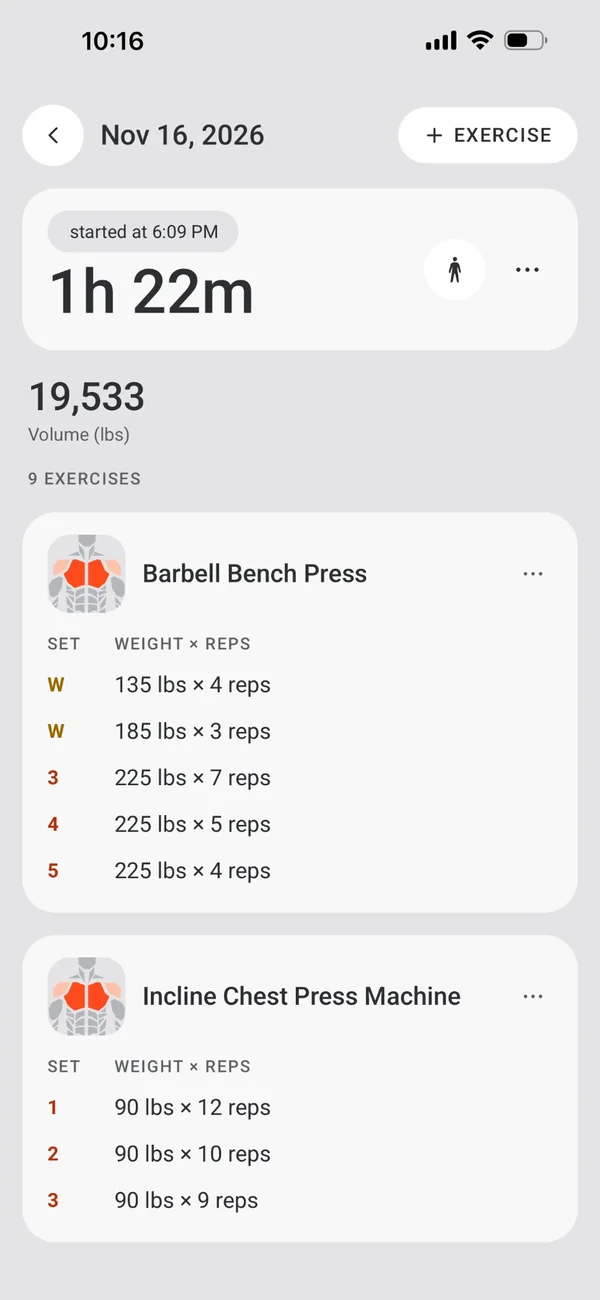
Your history, one tap away.
- Tap a day to open its workout: edit sets, notes, supersets, the start time and the length, or delete it.
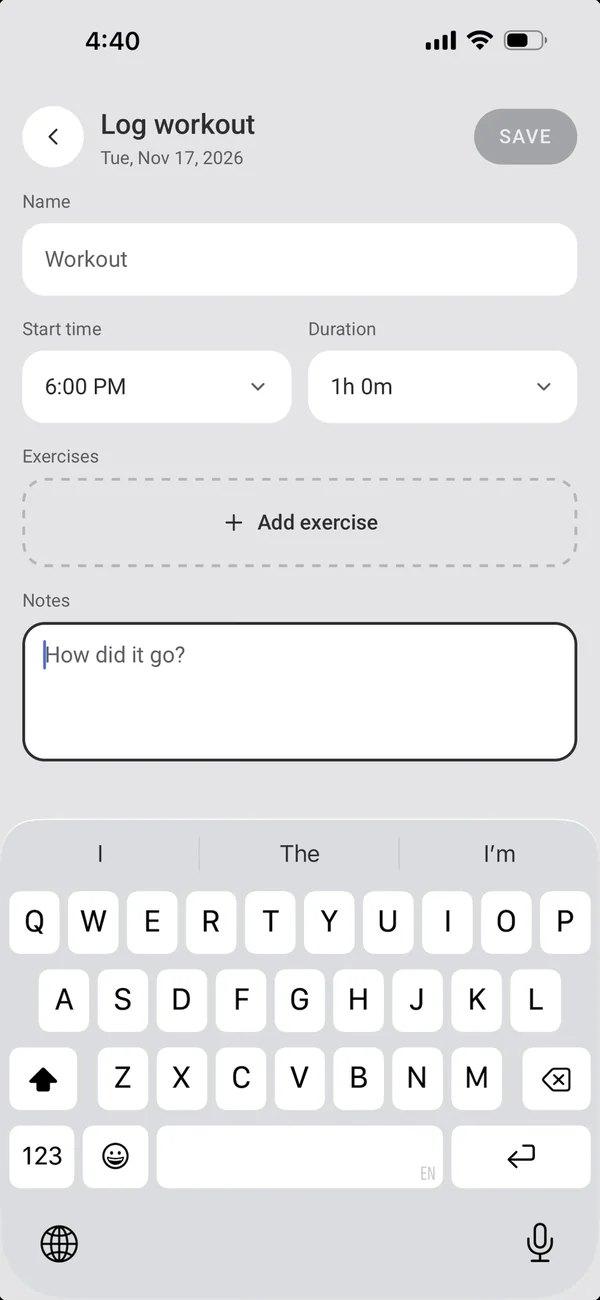
- Tap an empty day to log a workout after the fact.
- Every month: a year of small calendars, back to your first workout.
Heart rate, with Apple Watch
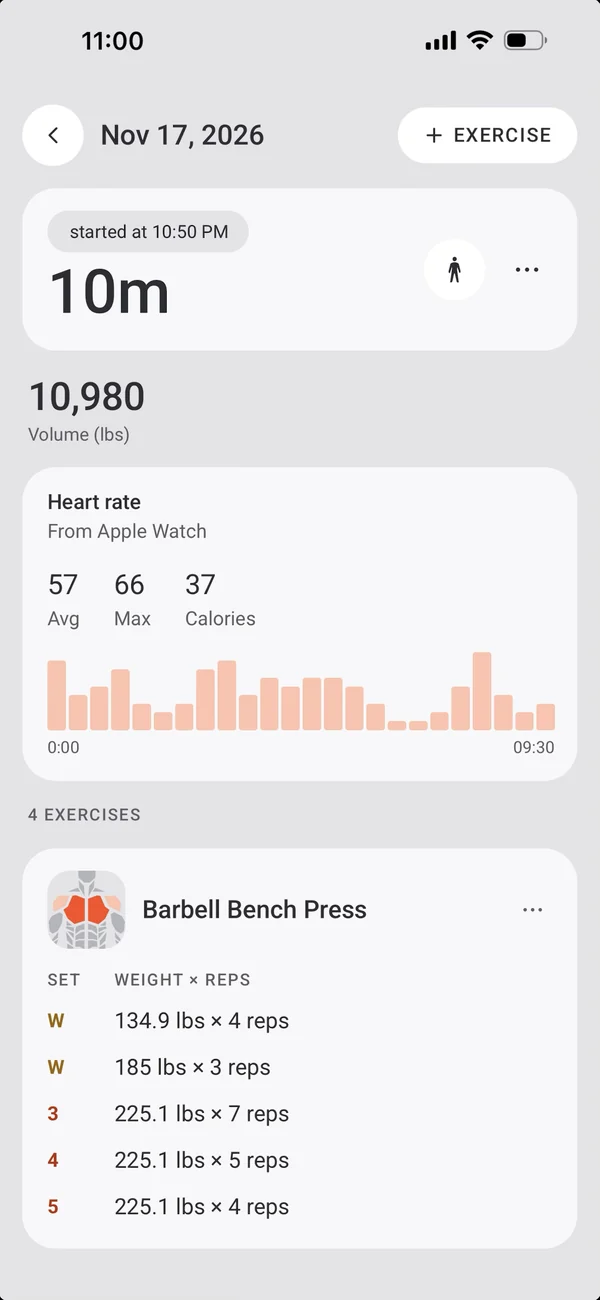
Workouts from the watch bring their heart rate.
- Average and max heart rate, and active calories.
- A heart-rate graph over the workout, with high-effort zones highlighted.
Your way
Two settings shape what you see.
- Weeks start on Sunday or Monday.
- Weights in lbs or kg.
More iPhone features
← PreviousWorkout CompleteFinish strong: your stats, your records and the muscles you hit.Next →Apple HealthYour workouts in Apple Health.
All features